
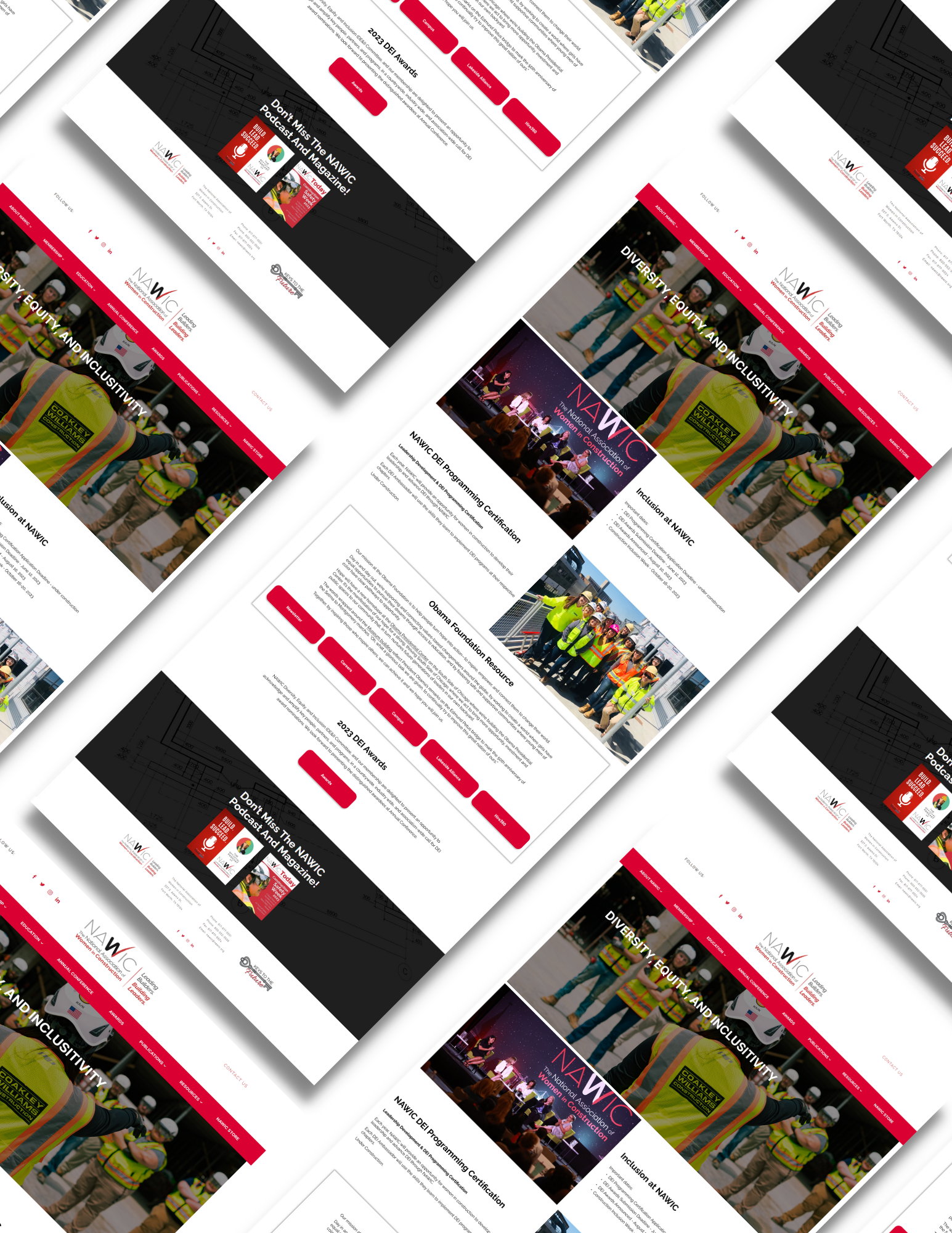
NAWIC - Website Redesign
A Redesign of Our Website
History
NAWIC (National Association of Women in Construction) is an association for women in construction. The purpose of this association is to support women in construction through networking, professional education, and mentorship. NAWIC continues the vision of its founding members by advocating for the value and impact of women builders, professionals, and tradeswomen in all aspects of the construction industry.
My role: Product Designer/Web Designer
Time: 6/26/2023 - 8/21/2023
Collaborators: Myself, Malachi Witt & Erica Larson
Method: Competitive Analysis, Persona, Agile, Wireframing, & Prototyping
Tool: Figma, Wordpress (Avada)
Constraints:
This is a project that took place between July -August. Due to the time constraints (I had joined in the middle of this project), not much time was able to be given to more research, as I was tasked to create all the member-side pages (33 total). However, with prior knowledge and collaborative effort, we were able to create a redesign of NAWIC website, public and member-side.
Overview:
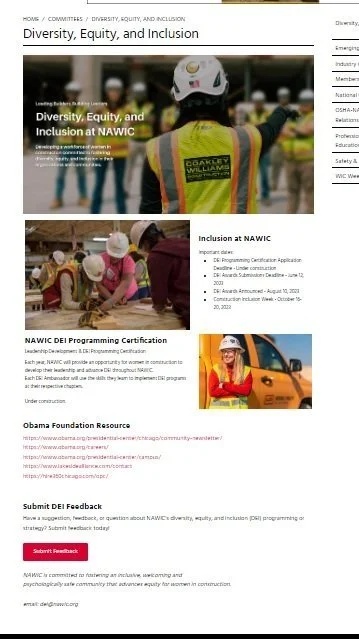
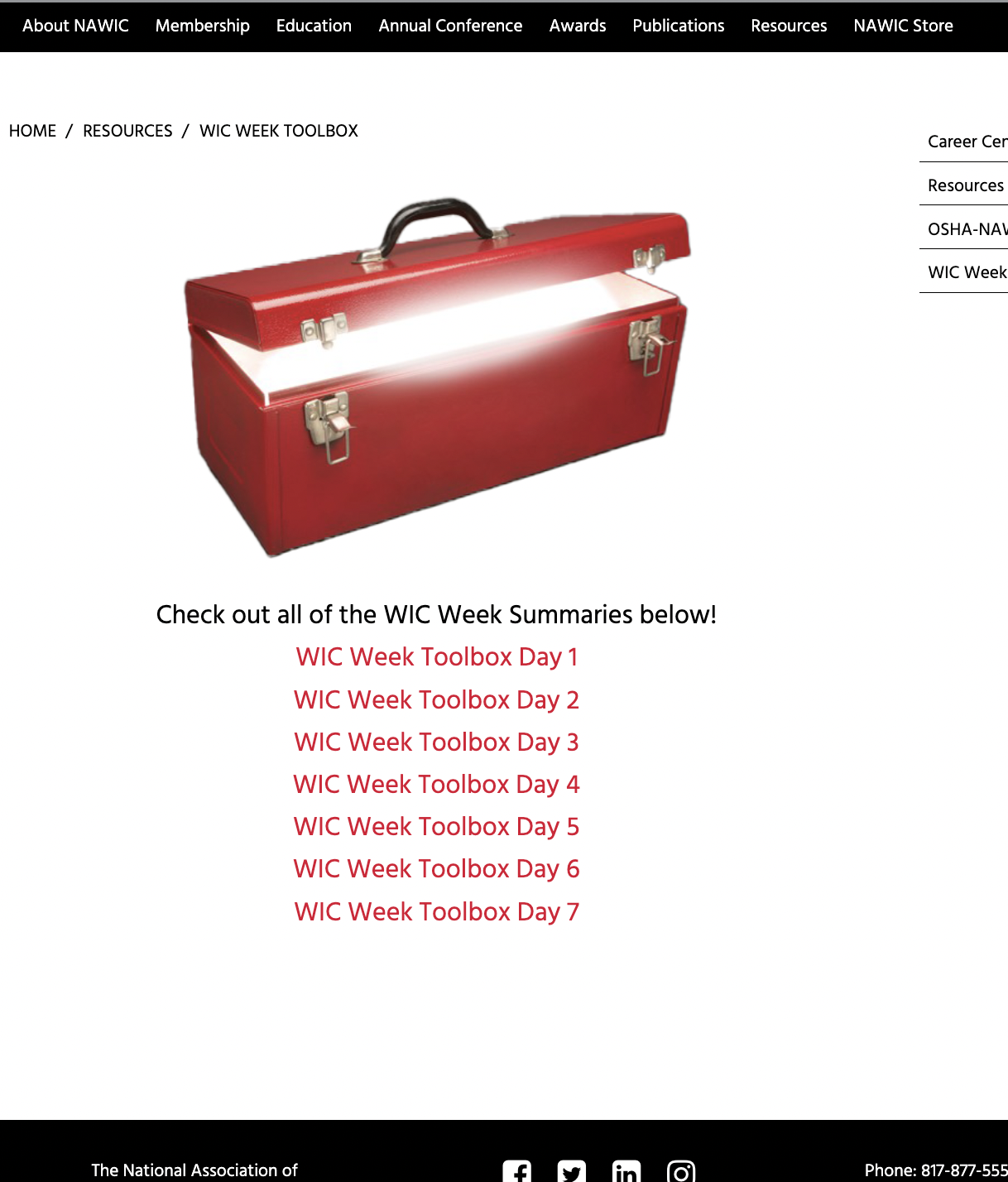
Examples of old NAWIC website.
Problem & Goals
Problems:
The main concern was that the website was outdated, both visually and informationally.
There also was a concern of the website not being up to ADA standards.
There was also general confusion of the navigation of the website, as there were some unnecessarily repeated information.
Although PixelPower created most of the public-facing side of the website as well as the UI, I took on the task of creating pages for the member-facing side, as time was of essence and it was crucial that I had transferred important information over.
The company already had a brand standards guide, which PixelPower had followed.
There were a lot of hands on deck, as different committees, directors, and staff needed a variety of information on each page.
Goals:
To create and maintain a visually, accurate website.
To have clear, concise navigation for users.
Research
Competitive Analysis and Persona
Competitive Analysis:
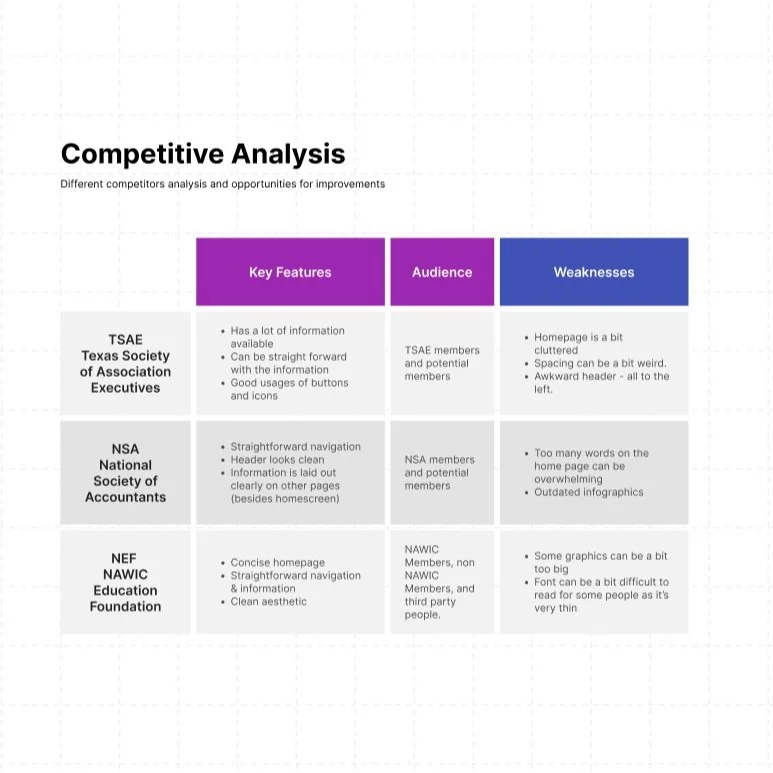
I researched three different associations’ websites to compare what they were doing well and what their weaknesses were. Some of the key notes I spotted were that these association sites held a lot of information, as well as clear navigation was needed.
Persona:
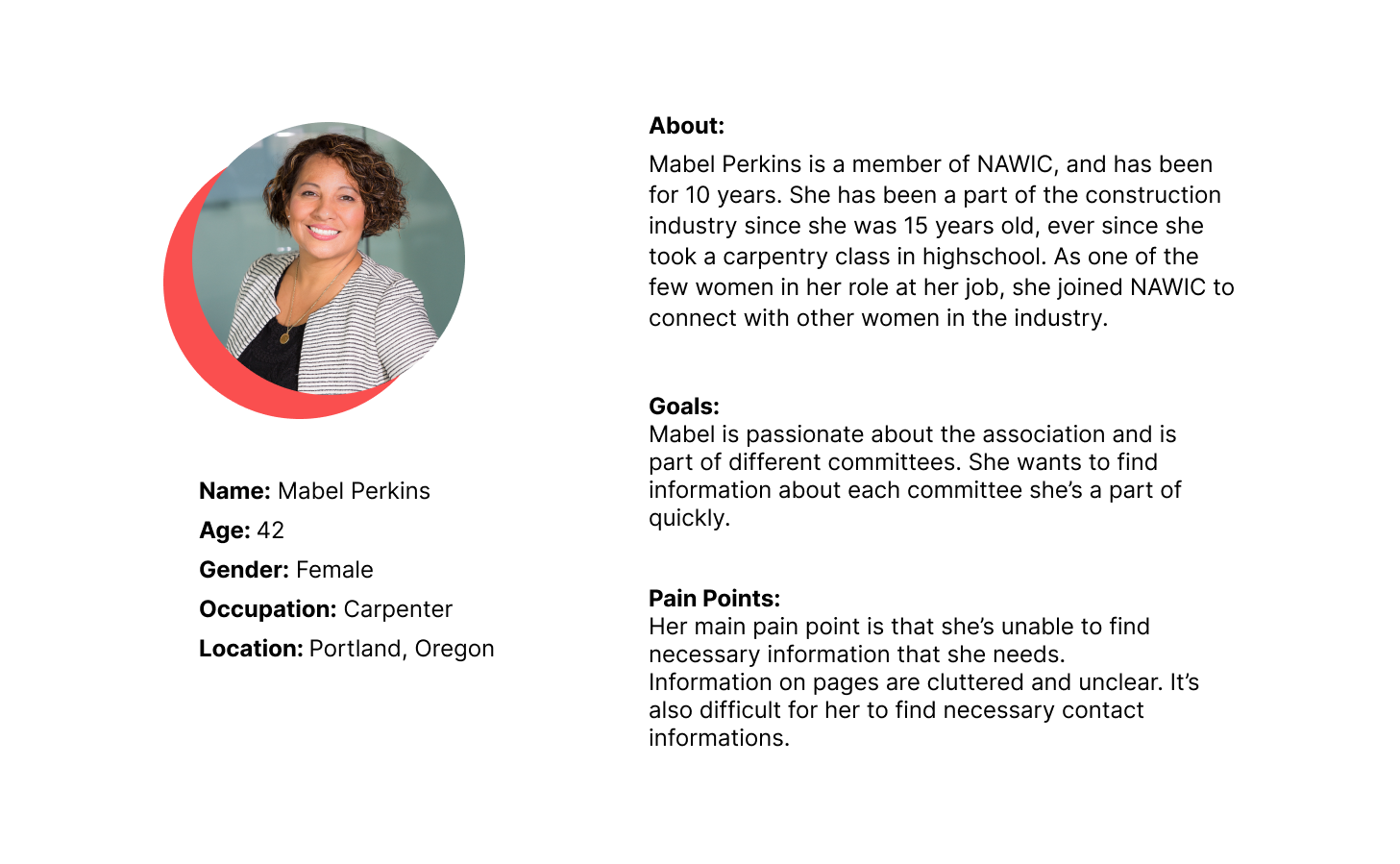
I have based a persona off of actual members that I have met during our annual conference, as well as those I have corresponded with over email.
2. Information Architecture
Sitemap
Sitemap
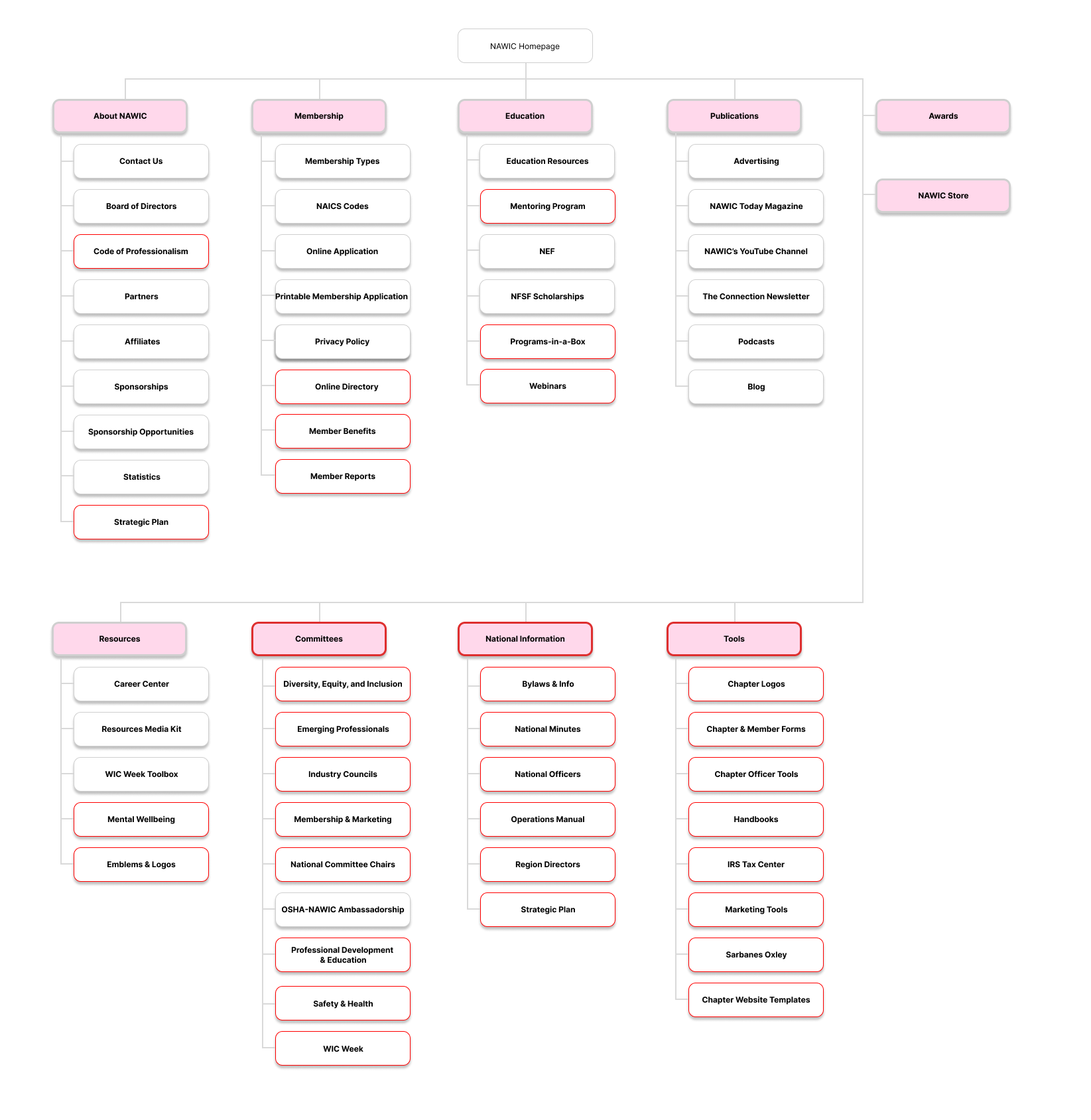
I created a sitemap was created to build out the layout of the wireframes for the NAWIC website. It was also utilized to keep track of pages that needed to be built.
The boxes in red are those that available to members only.
3. Interaction Design
Product requirements & Wireframes
Product Requirements:
Product requirements was created based off of site map, and the previous website. I created a checklist of pages to design:
About NAWIC
Code of Professionalism
Strategic Plan
Membership
NAICS Codes
Education
Lorman Education
Mental Wellbeing Resources
Mentoring Program
Programs-in-a-box
Webinars
Resources
WIC Week Toolbox
Committees
DEI
Emerging Professionals
Industry Councils
Membership & marketing
National Committee Chairs
Professional Development & Education
Safety & health
WIC Week
Members
Emblems & Logos
Member benefits
Member Reports
National Office Contact - not necessary anymore
Online Directory
Board of Directors
Bylaws & Info
National Minutes
National Officers
Operations Manual
Region Directors
Strategic Plan
Chapter Resources
Chapter Logos
Chapter & Member Forms
Chapter Officer Tools
Handbooks
IRS Tax Center
Marketing Tools
Sarbanes Oxley
Chapter Website Templates
Wireframes
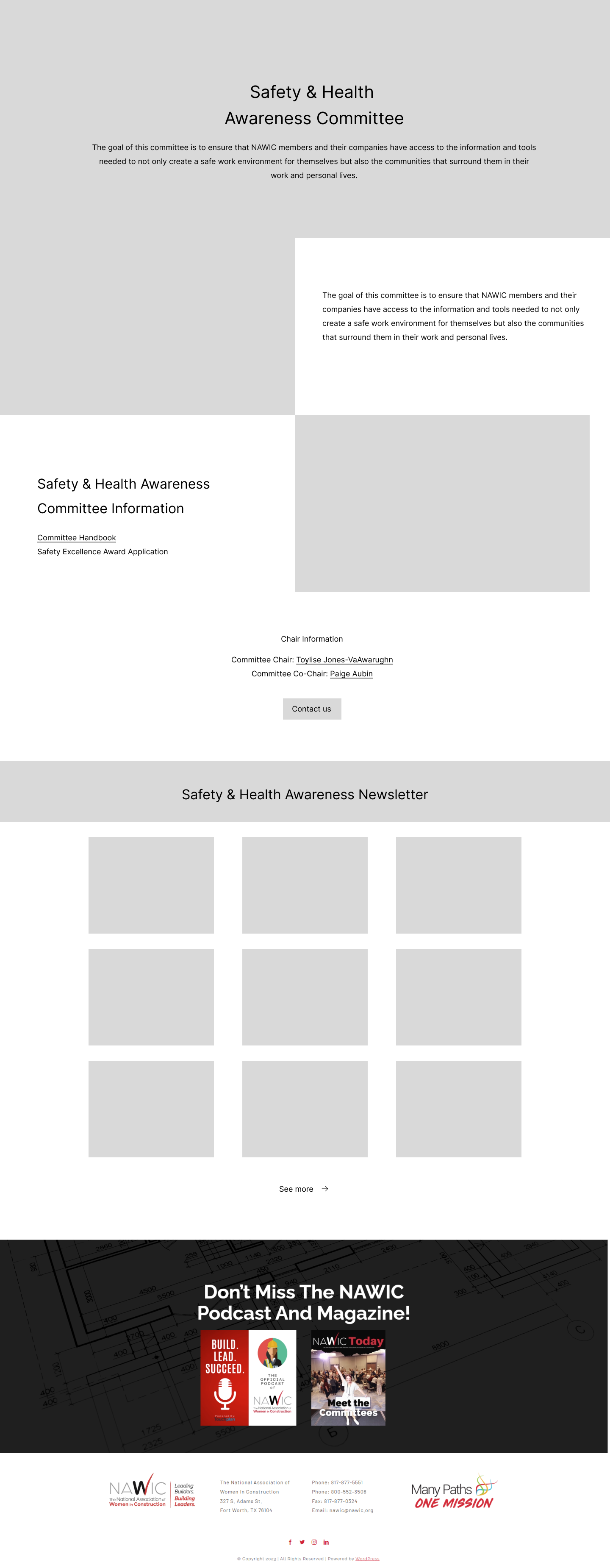
After completing detailed requirements for each of the pages, I created a wireframe based off of what was needed. I also knew the general aesthetic direction this particular committee wanted to go towards, since they had showed me an example of a different site.
To the left is one of a few wireframes I had created.
4. Creation & Conclusion
Prototypes
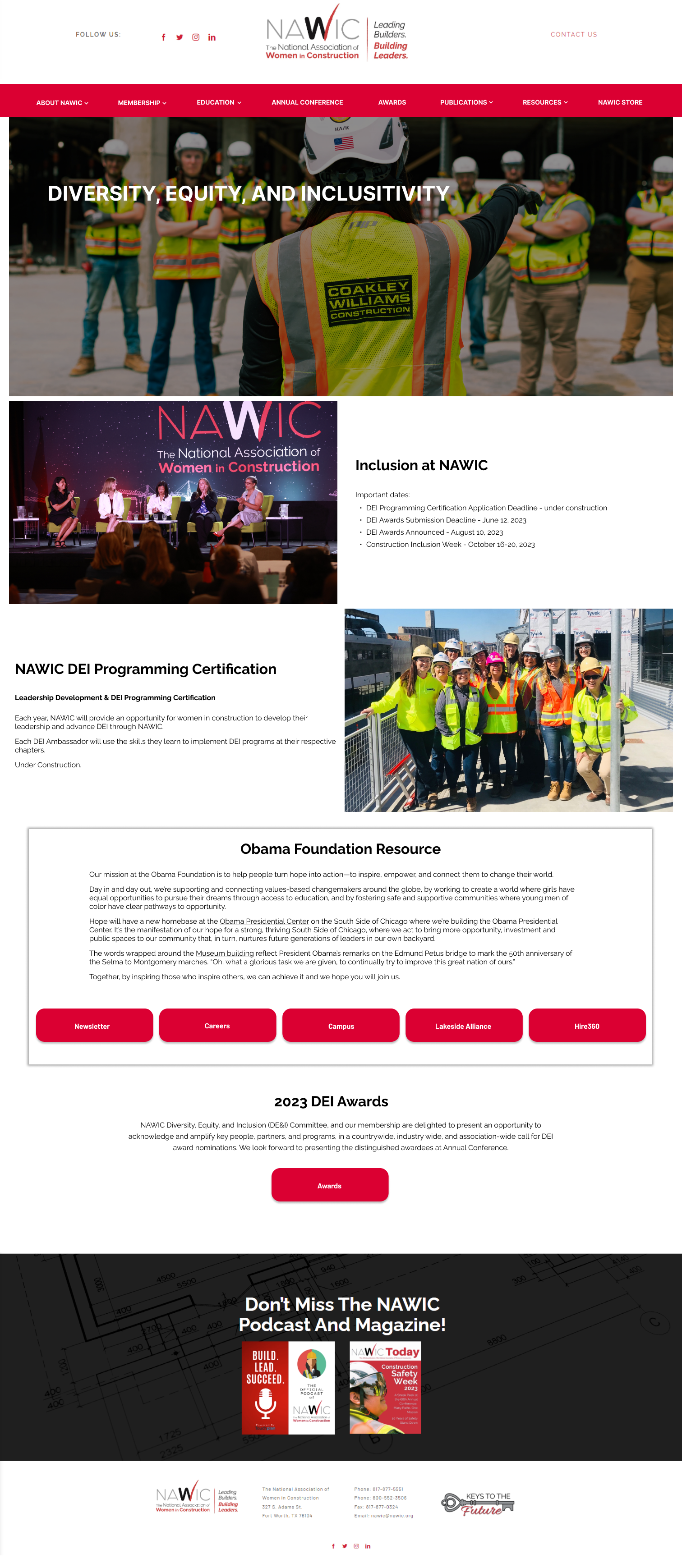
After inputting colors and photos into the wireframes, I then created a more high-fidelity prototype. With this high-fidelity prototype, I was able to create other committee pages based off of the one I had. I believe it’s important to have a cohesive look for committees for familiarity purposes.
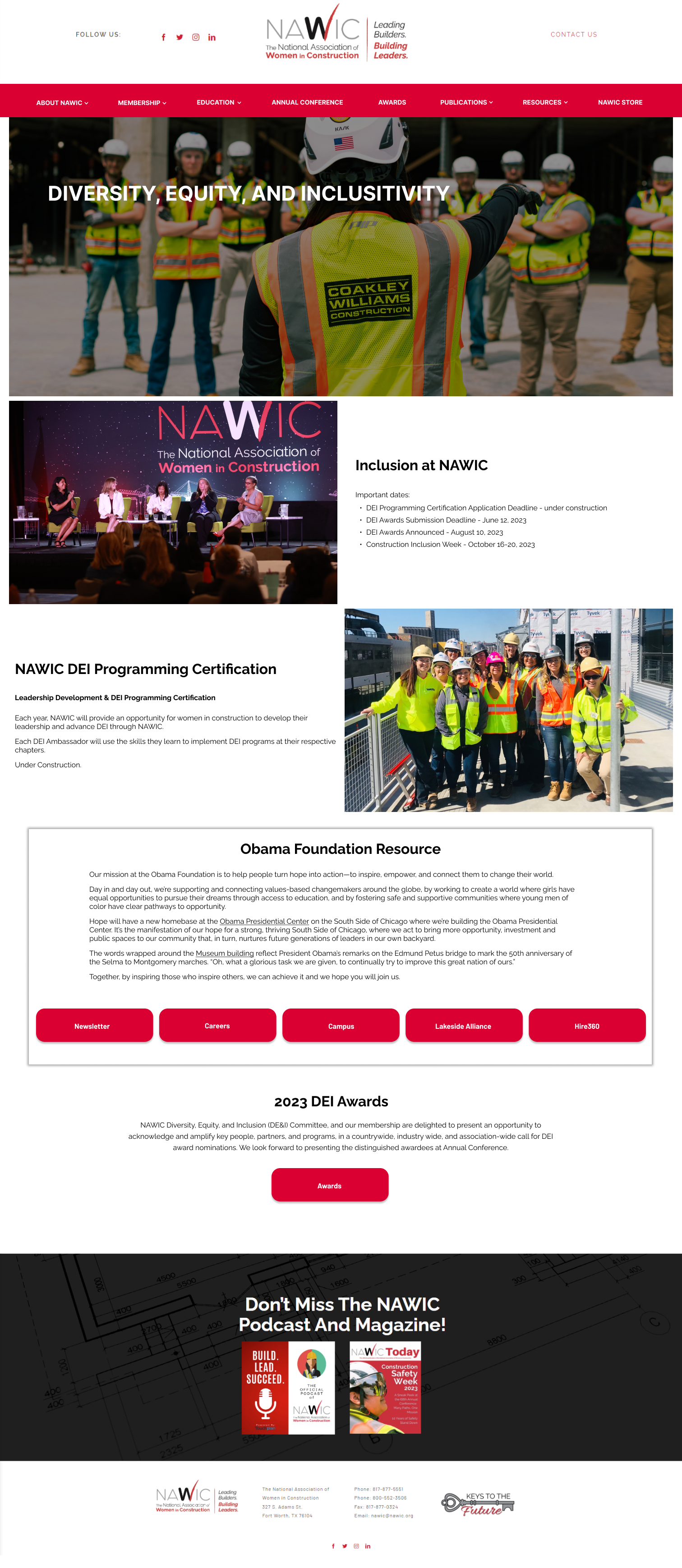
Prototype
Conclusion
Based on feedback from the executive director, I learned that some pages still had outdated information. But, the general feedback was positive from both the executive director and website manager.
In the future, with more time, I would conduct user research and ask a variety of people ranging from employees to members to ensure that the pages were meeting all of their needs and expectations.